
A new lead is added to the CRM
Before someone exports a list every week and uploads it to Mailchimp by hand.
After the lead reaches the right Mailchimp audience automatically, ready for a welcome message the same day.
 Marketing & EmailUS
Email marketing that already knows who your customer is — because your CRM told it
Mailchimp sends the campaigns, but it works best when it already knows who's on the list and what they did. We connect it to your CRM and other systems, so a new client lands in the right mailing group automatically, and what happens with a campaign — an open, a click — flows back to where your team can see it. Where a ready-made connection doesn't reach, we build the missing piece.
Before someone exports a list every week and uploads it to Mailchimp by hand.
After the lead reaches the right Mailchimp audience automatically, ready for a welcome message the same day.
Before only the marketing team sees that a client just got interested.
After the activity updates the client's card in the CRM too, so sales can follow up while it's still fresh.
Before the client would have to hand over a permanent access code to a stranger's system.
After they sign in through a secure screen instead, and can revoke access on their side any time.
Before too many requests go out at once and some fail outright.
After requests are paced to fit what Mailchimp allows at the same time, so nothing gets lost — just delayed by a moment.
For those who want to check: each point links to the official documentation page it comes from.
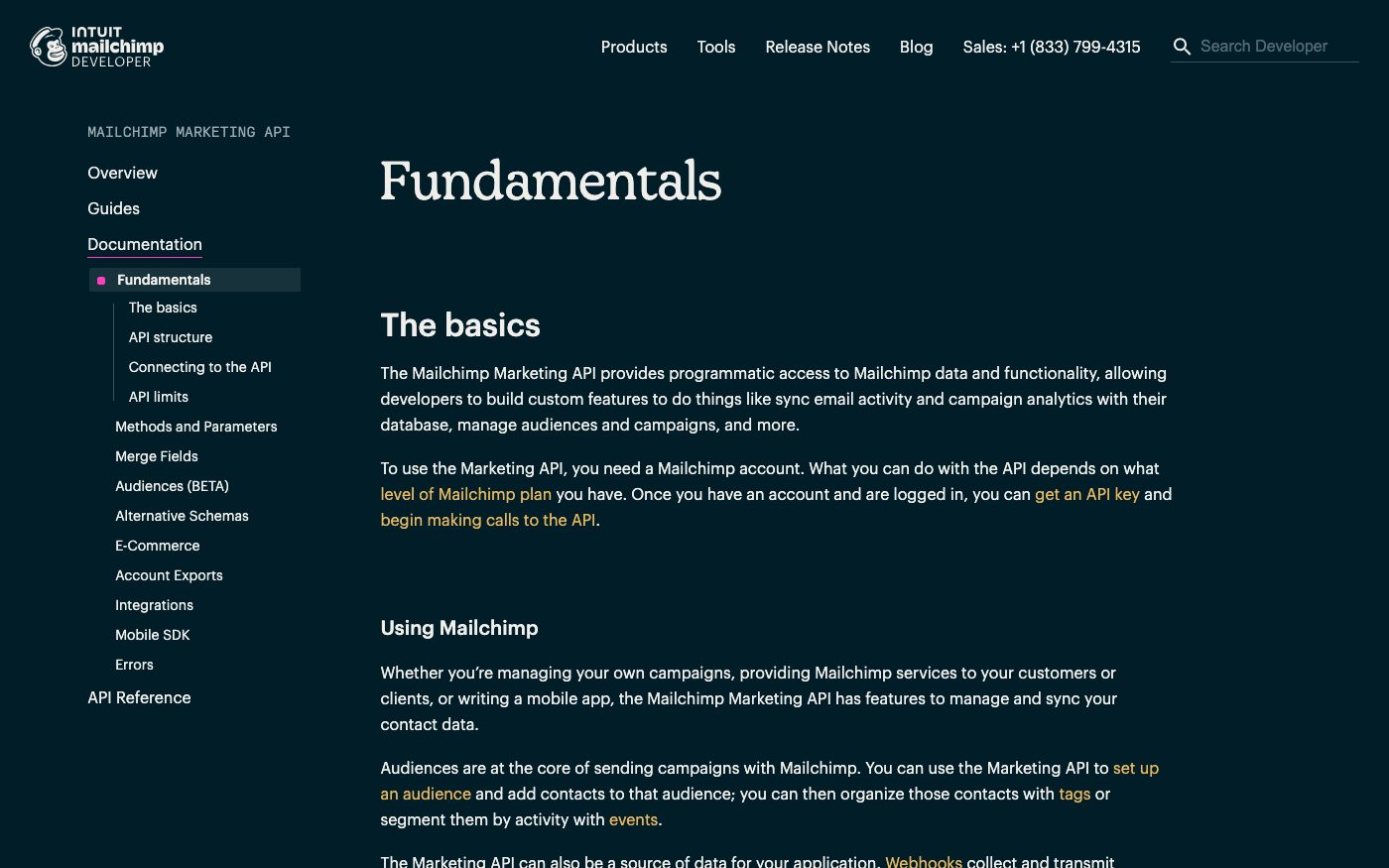
Mailchimp's Marketing API gives programmatic access to account data — enough to sync email activity and campaign analytics with an external system, and to manage audiences and campaigns.
Source: mailchimp.com ↗ checked 2026-09-25Which parts of the connection are usable depends on the account's Mailchimp plan level.
Source: mailchimp.com ↗ checked 2026-09-25For integrations where outside users connect their own Mailchimp accounts, Mailchimp requires OAuth 2 authentication rather than a plain API key.
Source: mailchimp.com ↗ checked 2026-09-25The Marketing API allows up to 10 simultaneous connections; going over that returns a 429 error.
Source: mailchimp.com ↗ checked 2026-09-25API calls have a 120-second timeout, after which the connection is dropped regardless of whether the server finished responding.
Source: mailchimp.com ↗ checked 2026-09-25One API request adds a contact to an audience or updates it if it is already there, so a repeated sync does not create duplicates.
Source: mailchimp.com ↗ checked 2026-09-29Tags on an audience member are added or removed through the API, and a tag that does not exist yet is created when it is first set.
Source: mailchimp.com ↗ checked 2026-09-29The 10-simultaneous-connection limit is fixed for every account — Mailchimp currently doesn't offer a way to raise it for an individual customer.
Three steps from a first message to work on your project.
Describe the task in the form — in text or by voice. Budget and timing are optional.
A developer studies the brief, asks about anything unclear and sends an estimate.
Once scope and price are agreed, the work begins.
or write to info@coreviaflow.space
Describe the task in text or a voice message. We look at your setup and reply with a plan.
Four services people come to us for most often. Each page explains what we do, how the work goes and where to start.
Choose the system, set up the pipeline, migrate data, train the team.
Learn more →Accounting, telephony, website, payments and messengers feed the CRM on their own.
Learn more →Orders, requests and answers around the clock, straight into your CRM.
Learn more →Flows between CRM, email, spreadsheets, payments and AI, on your own server.
Learn more → ↔
↔HubSpot contacts reach the right Mailchimp audience with tags that match their stage, and opens and clicks return to the contact card
See scenarios →↔
Salesforce contacts and leads land in the right Mailchimp audience with their segment, and opens, clicks and unsubscribes come back to the Salesforce record
See scenarios →↔
Shopify buyers land in the Mailchimp audience with what they bought, and a weekly report sets each campaign against the orders that followed it
See scenarios → Marketing & EmailUS
Marketing automation that keeps every contact's history in sync with everything else you use
See scenarios → Marketing & EmailEU
One connection for email, SMS and WhatsApp that keeps every channel talking to the same contact record
See scenarios →CRMUSUS CRM with built-in calling and no-code automation, ready to plug into the tools you already run
See scenarios → CRMUA
CRMUAUkrainian CRM that pulls orders from your site, marketplaces and chat apps into one pipeline
See scenarios →E-commerce platformsUSOrders from your Shopify store flow into your CRM, delivery and mailing on their own
See scenarios → Marketing & EmailUA
Email, SMS and messenger chatbots that start from what just happened in your CRM
See scenarios →Implementation · Development · Integrations →
Mailchimp is a trademark of its owner. CoreviaFlow is not affiliated with it unless stated otherwise. Screenshots are taken from public vendor materials; the source is shown under each one.