CoreviaFlowCOREVIAFLOWDIGITAL PROJECT COMPANY Leave a request
EN UA RU
Accounting & ERPUS

QuickBooks Online integration & automation

Your books are in QuickBooks Online? We connect sales, invoices and payments into one flow

QuickBooks Online is Intuit's cloud accounting for small business, used mainly in the US, Canada, the UK and Australia. We connect it to your CRM so that a won deal becomes an invoice in QuickBooks, a recorded payment changes the deal status in the CRM, and the manager sees the customer's open invoices without asking the accountant.

What we connect

  • A deal marked as won in the CRM turns into an invoice in QuickBooks Online, with the customer and line items already filled in.
  • When the accountant records a payment in QuickBooks, the invoice and the deal in the CRM switch to «paid» — the manager does not have to ask.
  • Customers stay in sync: a new company in the CRM gets a customer card in QuickBooks, and changes to contact details flow both ways.
  • Products and services are taken from the QuickBooks item list, so the invoice uses the same names and accounts your accountant already keeps.
  • The customer card in the CRM shows open and overdue invoices from QuickBooks — the manager sees the balance before calling.
  • QuickBooks itself notifies us about changes in the company file, and once a day we additionally check what changed — nothing is lost if a notification is delayed.
  • Access is granted once by the QuickBooks company owner; we keep it alive ourselves. If the connection is not used for 100 days, the owner signs in again.

Automation scenarios

01

Sales and accounting live apart

Before after every closed deal the manager emails the details and the accountant retypes them into QuickBooks.

After the invoice appears in QuickBooks as soon as the deal is closed, with the customer and items already in place.

02

«Has the customer paid?»

Before the manager pings the accountant in chat every time before the next call.

After the payment recorded in QuickBooks flips the deal to «paid» in the CRM, and the manager sees it on the deal card.

03

Customer debt is visible before the call

Before the manager offers a new order to a customer with three overdue invoices.

After the customer card in the CRM shows the open invoices from QuickBooks, and the manager starts the call with the right question.

04

Two lists of products

Before the CRM has its own product names, QuickBooks has others, and the accountant matches them by hand.

After the CRM uses the QuickBooks item list, so every invoice lands on the right item and account the first time.

How it works technically

For those who want to check: each point links to the official documentation page it comes from.

  • In QuickBooks an invoice is a sales form where the customer pays for a product or service later — exactly what a CRM deal turns into.

    Source: developer.intuit.com ↗ checked 2026-09-27
  • A payment in QuickBooks can be applied to several invoices of one customer at once, so one incoming payment can close several deals in the CRM.

    Source: developer.intuit.com ↗ checked 2026-09-27
  • Items in QuickBooks are the products and services a company buys or sells; they become the lines of an invoice, which is why we build the CRM catalogue on them.

    Source: developer.intuit.com ↗ checked 2026-09-27
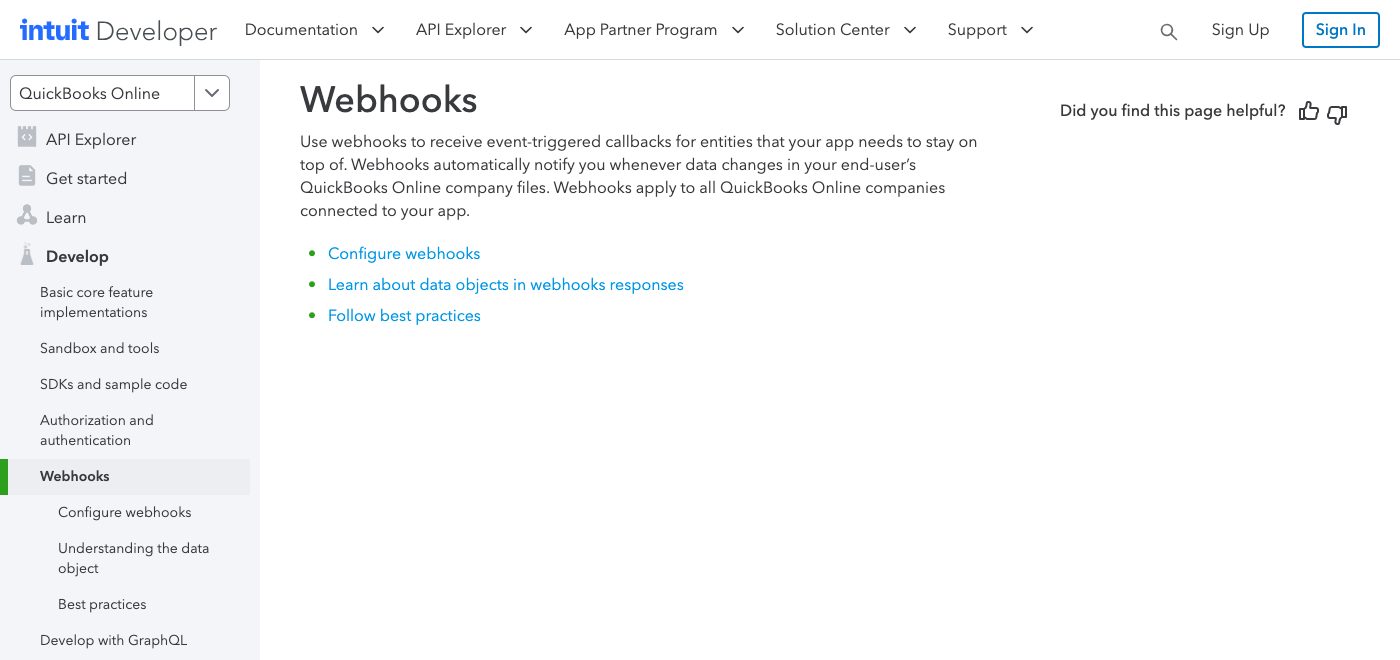
  • QuickBooks notifies a connected application whenever data in the customer's company file changes — this is what keeps the CRM current without constant polling.

    Source: static.developer.intuit.com ↗ checked 2026-09-27
  • Intuit's test companies for developers come in regional versions for Australia, Canada, France, India, the UK and the US — the markets QuickBooks Online is built for.

    Source: static.developer.intuit.com ↗ checked 2026-09-27

Limits

QuickBooks Online is built for the US, Canada, the UK, Australia and a few other markets; Intuit's materials mention no Ukrainian edition or Ukrainian reporting, so we do not use it for the books of a Ukrainian company — this page is for businesses whose accounting is kept abroad. The company owner grants access once; if the connection is not used for 100 days, it has to be confirmed again. Intuit limits how many requests one company can receive per minute, so a large one-time import of customers or invoices runs as a queue rather than instantly. Some sections of QuickBooks (projects, custom fields, sales tax service, payroll) are open only to applications in the upper tiers of Intuit's developer programme, so we do not build on them. Complex reports are assembled on our side, because QuickBooks queries return whole records and do not join or group data.


Screenshots

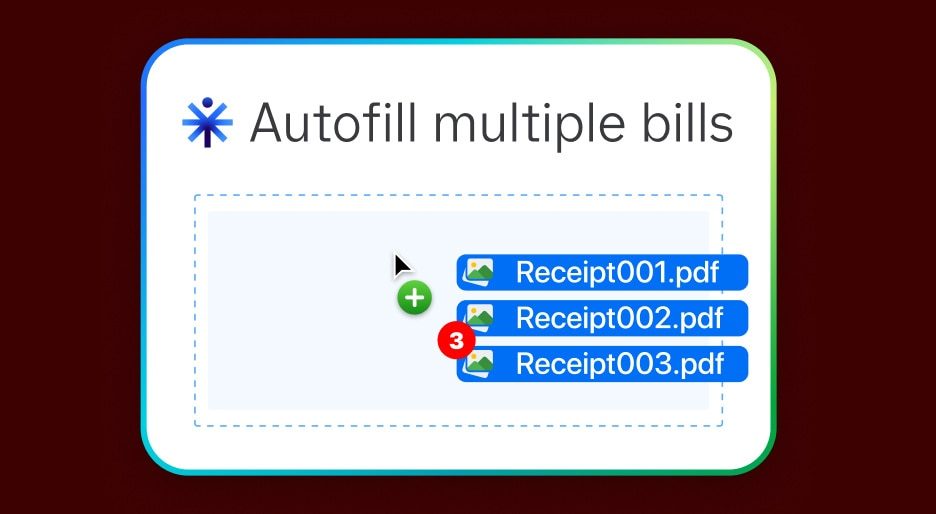
QuickBooks Online tile: several receipt PDF files are dropped into the window and bills are filled in automatically
Bills filled in from receipts Source: quickbooks.intuit.com ↗
QuickBooks Online developer documentation, Webhooks page: notifications are sent whenever data changes in the connected company file
QuickBooks reports changes itself Source: developer.intuit.com ↗

How to start

Three steps from a first message to work on your project.

  1. 01

    Leave a request

    Describe the task in the form — in text or by voice. Budget and timing are optional.

  2. 02

    We review and estimate

    A developer studies the brief, asks about anything unclear and sends an estimate.

  3. 03

    We start

    Once scope and price are agreed, the work begins.

or write to info@coreviaflow.space

Questions

Can a Ukrainian company keep its books in QuickBooks Online?
We don't recommend it: Intuit's materials list regional versions for the US, Canada, the UK, Australia, France and India, and we found no Ukrainian edition or Ukrainian reporting. QuickBooks makes sense if your company is registered in one of those markets; for Ukrainian accounting we connect Ukrainian systems such as BAS.
How quickly does a payment recorded in QuickBooks show up in the CRM?
QuickBooks sends us a notification as soon as the payment is recorded, and the deal status updates right after. As a safety net we also check once a day what changed in the company file, so a delayed notification does not leave a deal unpaid in the CRM.
Will the accountant have to change how they work in QuickBooks?
No. The accountant keeps working in QuickBooks as before; the invoices just arrive already filled in from the CRM. At setup we agree with the accountant which customer, item and account fields the invoice should carry, so nothing lands in the books in the wrong place.
Can we start with invoices only, without syncing payments and customers?
Yes. Each direction — deal to invoice, payment back to the deal, customer and item sync, balance in the customer card — is switched on separately. Most teams start with deal-to-invoice and add the payment status a couple of weeks later, once the accountant is comfortable.

Tell us what needs to be connected

Describe the task in text or a voice message. We look at your setup and reply with a plan.

Pairs with QuickBooks Online

Moving to another system

Related integrations

Implementation · Development · Integrations →

QuickBooks Online is a trademark of its owner. CoreviaFlow is not affiliated with it unless stated otherwise. Screenshots are taken from public vendor materials; the source is shown under each one.