CoreviaFlowCOREVIAFLOWDIGITAL PROJECT COMPANY Leave a request
EN UA RU
CRMEU

Sellsy integration & automation

Invoicing-first CRM from France — connected through its own developer portal, with access scoped to exactly what's needed

Sellsy grew out of French invoicing software and still keeps billing at its center, alongside contacts, deals and support tickets. Its connection interface lives inside its own developer portal, where every connection gets its own scoped-down access — so it only ever touches the parts of the account it actually needs.

What we connect

  • Contacts, deals and invoices can be kept in sync with your other systems, so a record made in one place doesn't have to be retyped in another.
  • Every connection is set up from inside Sellsy's own developer portal, in the account settings — not a separate outside tool.
  • Access can be scoped down to exactly what a connection needs — from every action available down to just a handful — instead of opening the whole account by default.
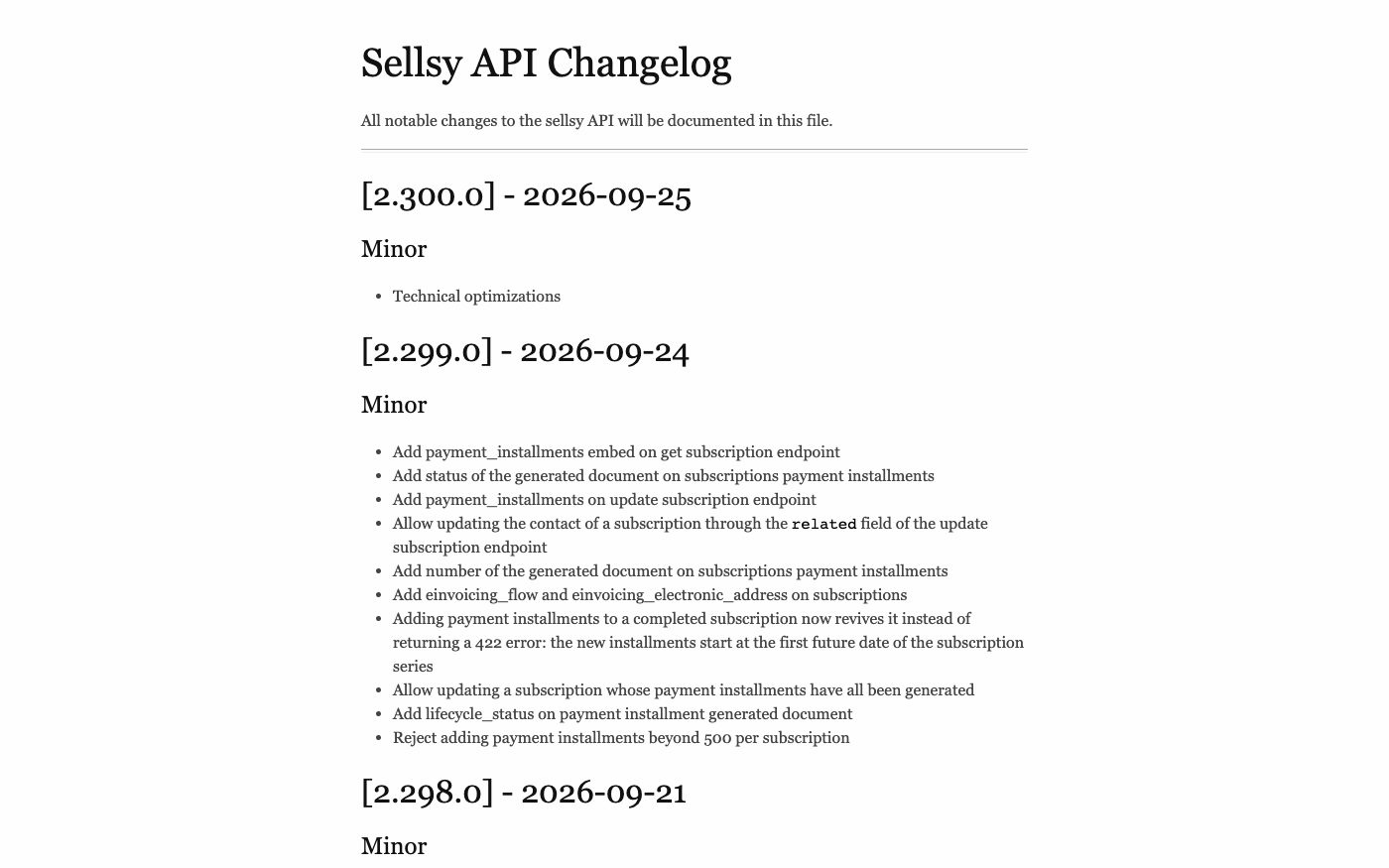
  • The connection documentation is a live, dated changelog — so we always build against what Sellsy's interface actually does right now, not an outdated description.
  • An older version of Sellsy's connection interface still works, but only through the current one with the right access enabled — it no longer gets separate updates of its own.

Automation scenarios

01

An invoice is created in Sellsy

Before a bookkeeper copies the invoice into another accounting tool by hand at the end of the week.

After a connection with the right scoped access pushes the same invoice into that tool automatically, the moment it's created.

02

A connection only needs to read a few things, not everything

Before a connection is given full account access by default, more than the task actually calls for.

After access is scoped down to just what that specific connection needs, so everything else in the account stays out of reach.

03

A subscription approaches its payment-schedule limit

Before a long payment schedule keeps growing past what a single subscription can hold, and nobody notices until something fails.

After knowing the 500-installment ceiling upfront, we design the schedule to split across subscriptions before it ever hits the wall.

04

A connection built years ago still runs on the old interface

Before an old connection quietly stops getting fixes, since its version no longer receives updates on its own.

After we route it through the current interface with the matching access enabled, so it keeps working and benefits from what's actively maintained.


How it works technically

For those who want to check: each point links to the official documentation page it comes from.

  • Sellsy has a public REST API (version 2), and the vendor keeps its changelog open, with dated release notes.

    Source: docs.sellsy.com ↗ checked 2026-09-25
  • Access for a connection is created inside the account's own settings, in a section called the Developer Portal.

    Source: help.sellsy.com ↗ checked 2026-09-25
  • There are three access types: public — reserved for companies with a formal arrangement with Sellsy, for security reasons — personal, for server-to-server use, and private, for client-to-server use.

    Source: help.sellsy.com ↗ checked 2026-09-25
  • Access rights can be limited through separate permissions: either every action is enabled, or only the specific ones a connection actually needs.

    Source: help.sellsy.com ↗ checked 2026-09-25
  • The older version of the interface (v1) can still be used, but only through the current v2 access with the matching permission enabled — v1 itself no longer gets separate updates.

    Source: help.sellsy.com ↗ checked 2026-09-25

Limits

One documented ceiling: a single subscription can hold at most 500 scheduled payment installments — a longer payment plan has to be split across more than one subscription. Sellsy's docs don't publish a general numeric request-rate limit.

Screenshots

How to start

Three steps from a first message to work on your project.

  1. 01

    Leave a request

    Describe the task in the form — in text or by voice. Budget and timing are optional.

  2. 02

    We review and estimate

    A developer studies the brief, asks about anything unclear and sends an estimate.

  3. 03

    We start

    Once scope and price are agreed, the work begins.

or write to info@coreviaflow.space

Questions

Where is a new connection to Sellsy set up?
Right inside the account's own settings, in a section called the Developer Portal — no separate outside tool is needed to create the access.
Does a connection automatically get access to the whole account?
No — access is scoped down to exactly what that connection needs, from every action to just a handful, instead of opening everything by default.
Is there a limit on how long a payment schedule can be?
Yes — a single subscription can hold at most 500 scheduled payments; a longer plan needs to be split across more than one subscription.
Can an old connection built on the previous interface keep running?
Yes, but only routed through the current access with the matching permission enabled — the old version itself no longer receives separate updates.

Tell us what needs to be connected

Describe the task in text or a voice message. We look at your setup and reply with a plan.