CoreviaFlowCOREVIAFLOWDIGITAL PROJECT COMPANY Leave a request
EN UA RU
Automation & workspaceUS

DocuSign integration & automation

Contracts go out for signature from your CRM, and the signed status comes back on its own

DocuSign is a service for signing documents electronically. We connect it to your CRM, accounting or custom system so that a contract is generated from a deal, sent to the client for signature in one click, and every step — viewed, signed, declined — is written back to the deal without anyone checking the DocuSign dashboard.

What we connect

  • We agree on which documents are signed and from where: a contract from a deal, an act from an invoice, an NDA from a new contact.
  • We check your DocuSign plan: programmatic sending requires an account on an enterprise or developer-enabled plan, and a paid production account is needed to go live.
  • We build and test everything in a separate DocuSign developer account, where signatures have no legal force and nothing real is sent.
  • We set up sign-in on behalf of your company through DocuSign's standard consent screen, so the connection works without a person being present.
  • We prepare document templates in DocuSign with roles and fields, and map them to your CRM data: client name, amount, dates, signer email.
  • We turn on DocuSign's status notifications so every change — sent, viewed, signed, declined — is written to the deal, without constant polling.
  • We pass DocuSign's review for moving the connection to production and switch it to your working account.
  • We hand over a short guide and a check-list for the team.

Automation scenarios

01

Contract from a deal in one click

Before the manager filled the contract in Word, uploaded it to DocuSign, typed the client's email and sent it — 15 minutes per document and typos in names.

After a 'Send for signature' button in the CRM creates the document from a template with the deal data and sends it to the client.

02

Signing status inside the CRM

Before to find out whether the client had signed, the manager opened DocuSign and searched by name.

After DocuSign itself reports each step, the deal stage changes to 'signed', the signed PDF is attached to the deal, and the manager receives a message.

03

Reminders for unsigned documents

Before documents hung unsigned for weeks, and nobody remembered to follow up.

After if the document is still not signed after a set number of days, the client gets a polite reminder and the manager gets a task.

04

Signed documents in the archive and accounting

Before someone downloaded signed PDFs from DocuSign by hand and put them in folders.

After every signed document is saved to your cloud storage with the right name and linked to the client record in the accounting system.

05

Onboarding a new employee

Before HR sent the contract, NDA and policies separately and chased signatures by phone.

After a new record in the HR system sends the whole package for signature in the right order, and HR sees who has signed what.


How it works technically

For those who want to check: each point links to the official documentation page it comes from.

  • The eSignature REST API has more than 400 endpoints, according to Docusign's product page.

    Source: www.docusign.com ↗ checked 2026-09-28
  • When an envelope is sent, Docusign notifies recipients by email or SMS, in a set order or all at once.

    Source: developers.docusign.com ↗ checked 2026-09-28
  • Templates streamline sending the same or similar documents; recipients are assigned to template roles when an envelope is created.

    Source: developers.docusign.com ↗ checked 2026-09-28
  • Docusign Connect sends an HTTPS POST to your webhook listener when a subscribed event occurs in the signing workflow.

    Source: developers.docusign.com ↗ checked 2026-09-28
  • Authentication is OAuth 2.0; the JWT Grant is recommended for server integrations that act without a user present.

    Source: developers.docusign.com ↗ checked 2026-09-28
  • Accounts have a maximum number of API requests per hour shared by all integrations; polling is limited to once per 15 minutes per envelope.

    Source: developers.docusign.com ↗ checked 2026-09-28

Limits

An ordinary individual DocuSign account does not allow programmatic sending — the account must be on an enterprise plan or a plan with developer capabilities, and going live requires a paid production account and DocuSign's review of the connection. Development happens in a separate developer account where signatures are not legally binding. DocuSign caps the number of requests per hour for the whole account and forbids checking the status of one document more often than once every 15 minutes, so statuses come through DocuSign's own notifications rather than repeated checks. A template is only a blank: it cannot be sent as is, a document is always created from it first.

Screenshots

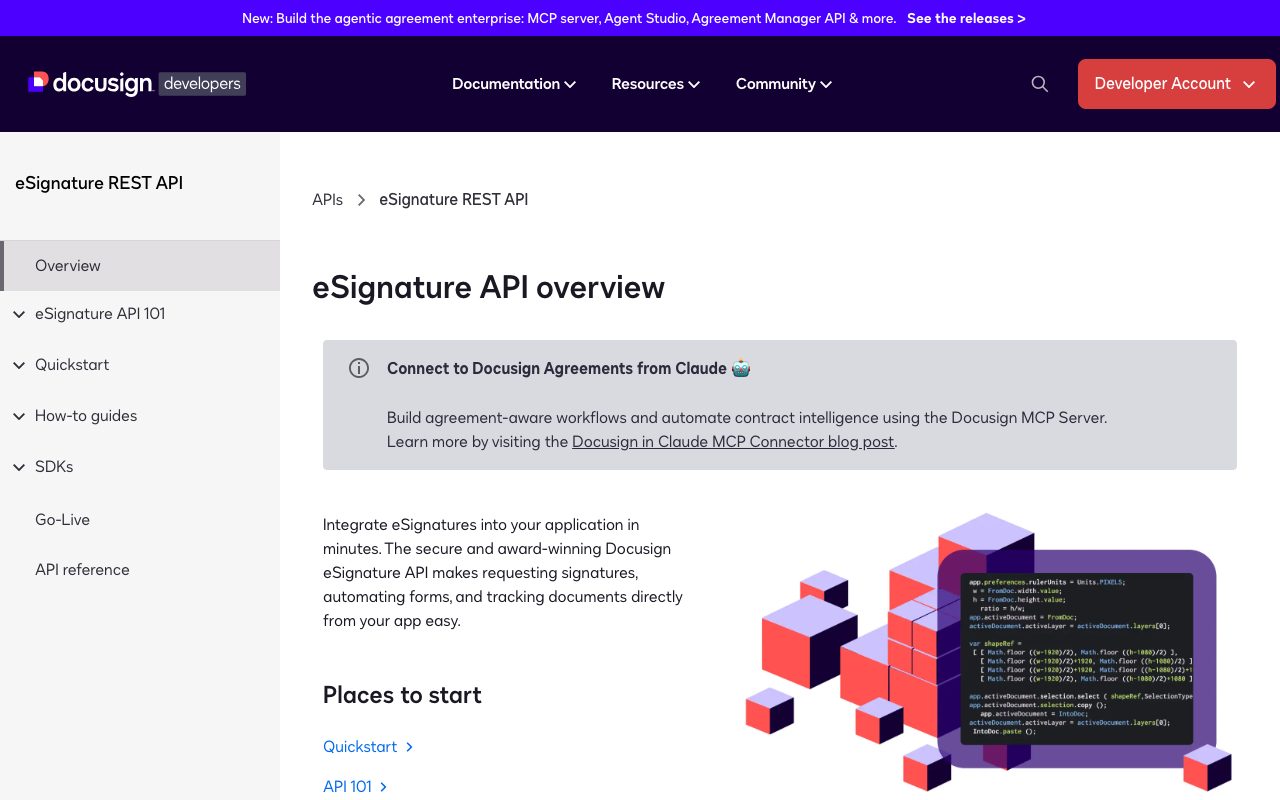
DocuSign developer documentation: eSignature REST API overview
The eSignature API overview: requesting signatures, automating forms and tracking documents from another system — this is what connects DocuSign to the CRM. Source: developers.docusign.com ↗
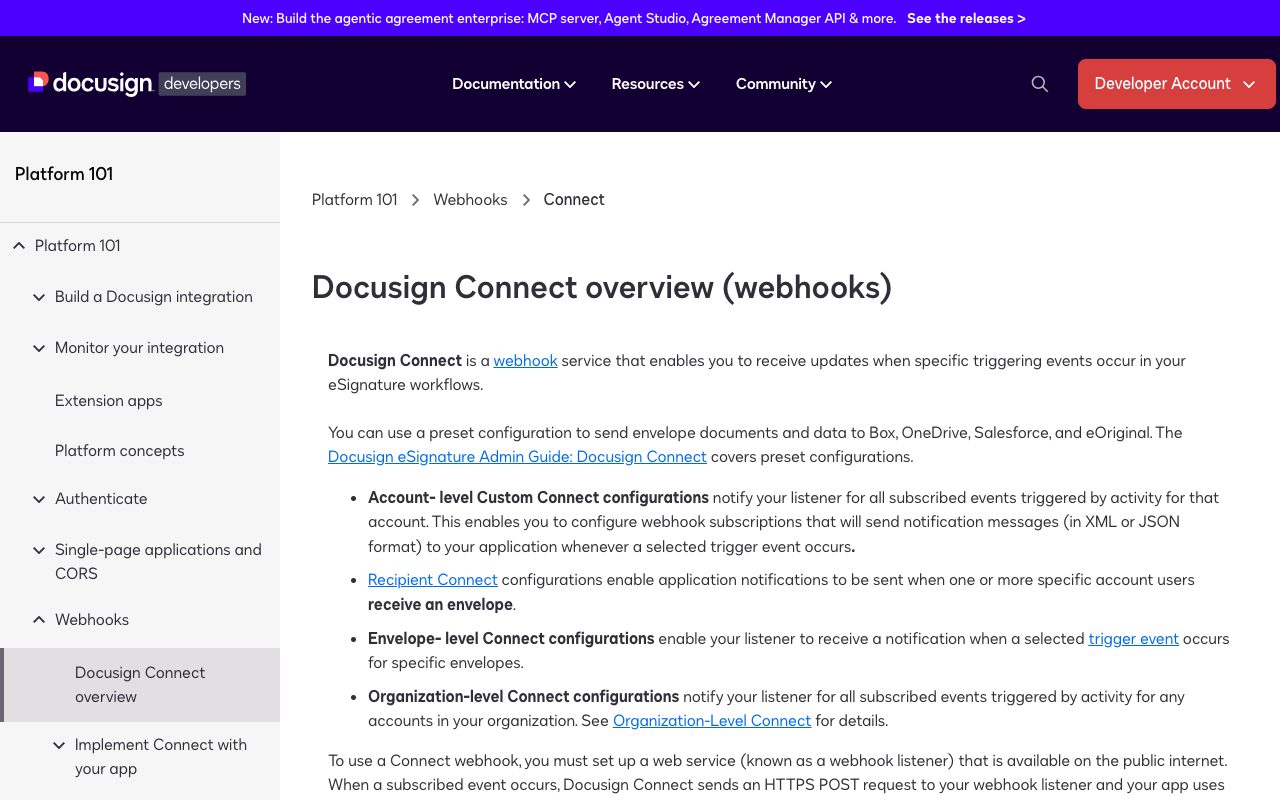
DocuSign Connect documentation: notifications about envelope status events
DocuSign Connect sends a notice when a document is sent, viewed, signed or declined; the CRM uses it to move the deal to the next stage without anyone checking. Source: developers.docusign.com ↗

How to start

Three steps from a first message to work on your project.

  1. 01

    Leave a request

    Describe the task in the form — in text or by voice. Budget and timing are optional.

  2. 02

    We review and estimate

    A developer studies the brief, asks about anything unclear and sends an estimate.

  3. 03

    We start

    Once scope and price are agreed, the work begins.

or write to info@coreviaflow.space

Questions

Do our clients need a DocuSign account to sign?
No. According to DocuSign, only the sender needs an account; the signer opens the link from the email or SMS and signs in the browser.
Which DocuSign plan do we need?
A plan that includes developer capabilities — DocuSign states that an ordinary individual account does not offer them unless it is tied to an enterprise or developer-enabled plan. We check your current plan before starting and tell you what is missing.
How quickly will the CRM learn that a document was signed?
DocuSign sends a notification to our connection right when the event happens — the deal updates within moments after the signature, without waiting for a scheduled check.
Will test documents reach real clients while you are setting things up?
No. All the work is done in a separate DocuSign developer account that is isolated from your working one. Real sending starts only after DocuSign reviews the connection and we switch it to your production account together.

Tell us what needs to be connected

Describe the task in text or a voice message. We look at your setup and reply with a plan.