CoreviaFlowCOREVIAFLOWDIGITAL PROJECT COMPANY Leave a request
EN UA RU
E-commerce platformsUA

Horoshop integration & automation

Orders from your Horoshop store land in your CRM, and delivery statuses come back on their own.

Horoshop is a Ukrainian online-store builder. We connect it to the systems your team already lives in: every new order goes to your CRM with the buyer and the items, the order status and the Nova Poshta waybill number come back into the store, stock and prices are taken from your accounting, and new buyers are added to your mailing list. The store stays the shop window, and the work happens where it is convenient for you.

What we connect

  • We check your Horoshop plan: data exchange with outside systems is available from the PRO plan, so we confirm this before anything else.
  • In the Horoshop admin panel you create a separate user for the exchange (Settings → Admins) and share its login with us; your own password stays with you.
  • Together we agree which orders go to the CRM, which CRM stages come back to the store as order statuses, and who is responsible for a status that is changed by hand.
  • We connect the source of truth for products: your accounting system or a price file. Stock and prices are updated in the store from there, not by hand in two places.
  • If you create Nova Poshta waybills in the CRM, we set it up so the waybill number is written into the Horoshop order and the order status then follows the parcel.
  • If you want new buyers in your mailing list, we connect the mailing service either through Horoshop's ready-made link with Zapier or through the exchange directly.
  • We run several test orders end to end: order → CRM → waybill → status back in the store. Only after you check the result do we switch the exchange on for real orders.

Automation scenarios

01

New order goes to the CRM by itself

Before the manager opens the Horoshop admin panel, copies the buyer, phone and items into the CRM, and some orders get lost between the two windows.

After the order appears in the CRM with all details a moment after it is placed, and the manager only starts working on it.

02

Delivery status follows the parcel

Before the waybill is created in the CRM, and someone has to type its number into the store and later check by hand whether the parcel was received.

After the waybill number is written into the Horoshop order, and the order moves to «Delivered» when Nova Poshta reports it, in both the store and the CRM.

03

Stock and prices come from accounting

Before the price changes in accounting, and the store still shows the old one until someone updates the item; a sold-out product keeps taking orders.

After accounting is the single source, and the store updates stock and prices from it, so buyers cannot order more than you have.

04

New buyers land in the mailing list

Before once a month someone exports the buyers to a spreadsheet and uploads it to the mailing service, and the list is always out of date.

After a buyer who registers or places a first order is added to the mailing list on the same day.

How it works technically

For those who want to check: each point links to the official documentation page it comes from.

  • Horoshop opens its data to outside systems: third-party applications can work with the store's site and database.

    Source: horoshop.ua ↗ checked 2026-09-27
  • The exchange is designed for accounting, warehouse, CRM and e-mail mailing systems.

    Source: horoshop.ua ↗ checked 2026-09-27
  • Products, orders, customers and reference data can be exchanged with any outside system.

    Source: horoshop.ua ↗ checked 2026-09-27
  • Horoshop has a built-in Nova Poshta link: waybills are created in the admin panel, sent to the Nova Poshta account, and parcel statuses are tracked in the store.

    Source: help.horoshop.ua ↗ checked 2026-09-27
  • A waybill number created in another system (for example, in the CRM) can be written into the Horoshop order through the order-update exchange.

    Source: help.horoshop.ua ↗ checked 2026-09-27
  • Through Zapier, new Horoshop customers and orders can be passed to a mailing service or to a spreadsheet.

    Source: help.horoshop.ua ↗ checked 2026-09-27

Limits

Data exchange with outside systems is available from the PRO plan; exporting buyers to a CRM is also a Pro feature. Adding a waybill number from another system to an order works from the Standard plan, while passing it through the exchange needs Pro. New order statuses are switched on by Horoshop support after you create them, so plan the status list in advance. Ready-made Zapier templates work only for stores on https.

Screenshots

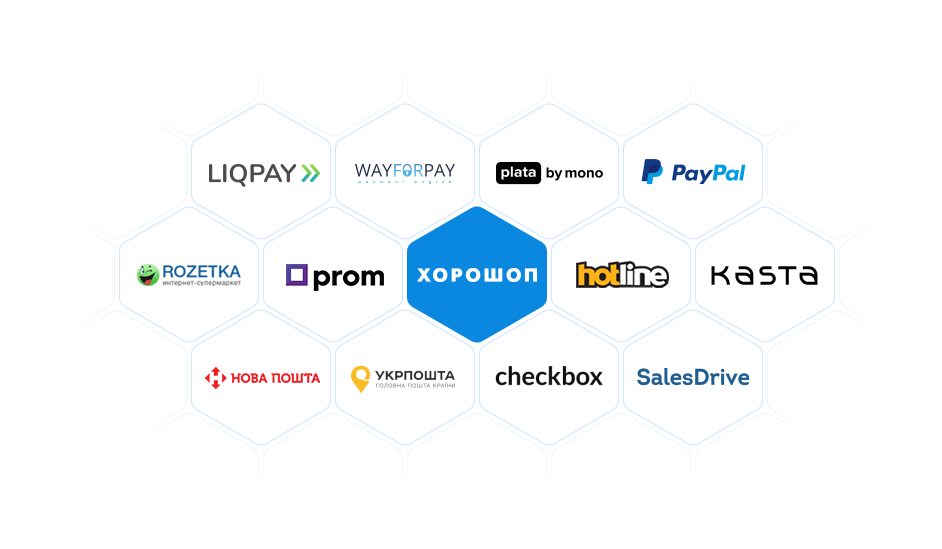
Horoshop ready-made links: LiqPay, WayForPay, plata by mono, PayPal, Rozetka, Prom, Hotline, Kasta, Nova Poshta, Ukrposhta, Checkbox, SalesDrive
Which services Horoshop already links to out of the box: payments, delivery, marketplaces, fiscal receipts and a CRM. Source: horoshop.ua ↗
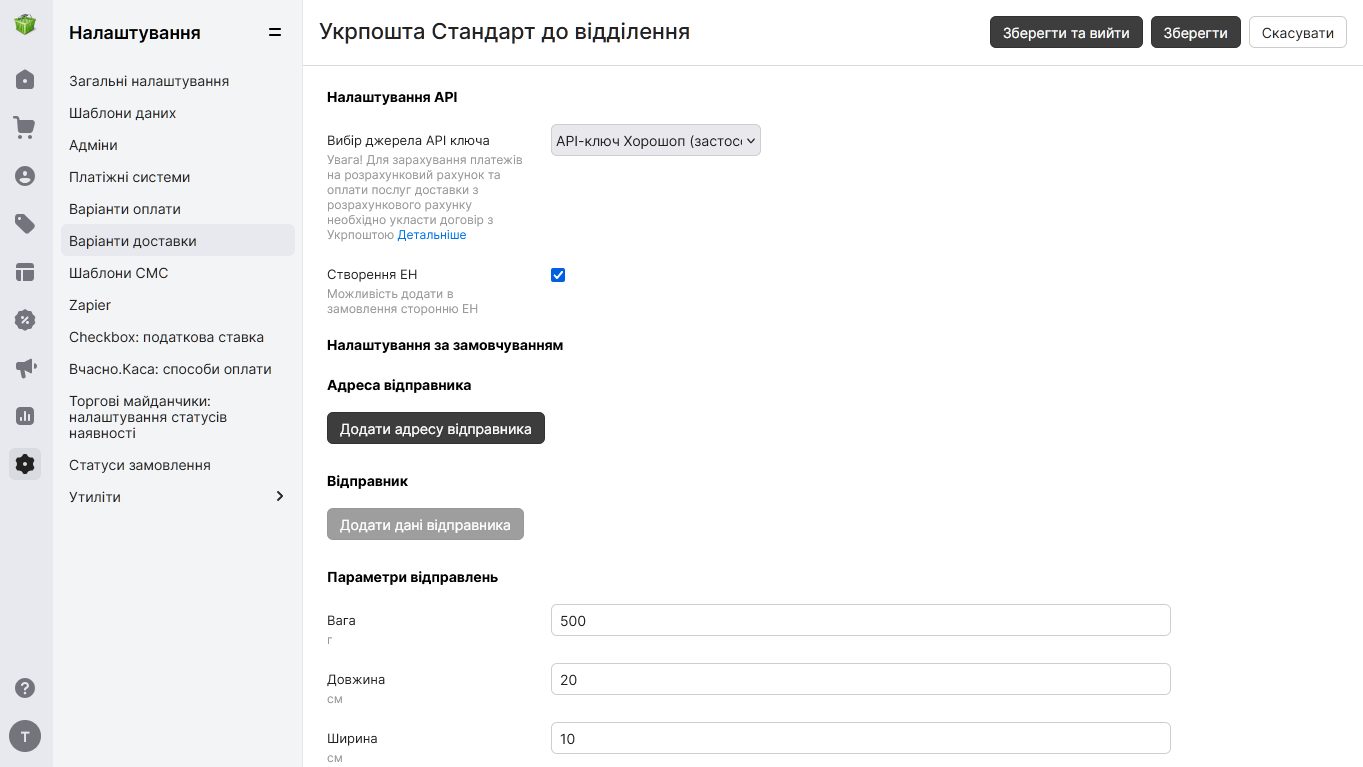
Horoshop admin panel: delivery option settings with the «Create waybill» switch that lets an order accept a waybill from another system
Delivery settings in the Horoshop admin panel: one switch lets an order accept a waybill number created in your CRM. Source: help.horoshop.ua ↗

How to start

Three steps from a first message to work on your project.

  1. 01

    Leave a request

    Describe the task in the form — in text or by voice. Budget and timing are optional.

  2. 02

    We review and estimate

    A developer studies the brief, asks about anything unclear and sends an estimate.

  3. 03

    We start

    Once scope and price are agreed, the work begins.

or write to info@coreviaflow.space

Questions

Which Horoshop plan do I need for the connection?
Exchange with outside systems opens from the PRO plan. On Standard you can already add a waybill number from another system to an order, but the two-way exchange with a CRM needs PRO. We check the plan first, before any work begins.
Horoshop already lists ready-made links with CRMs. Why do I need you?
The vendor's site does list ready links with SalesDrive, KeyCRM and others. We set them up, map your statuses and fields, and add what the ready link does not cover: waybills from the CRM, stock from accounting, buyers to mailing. If your CRM is not on the list, we build the exchange directly.
Can we keep creating Nova Poshta waybills in our CRM?
Yes. Horoshop accepts a waybill number created elsewhere: it is written into the order, and the order status then follows the parcel until it is delivered or cancelled. A Nova Poshta key inside Horoshop is not required for this.
We want our own order statuses in the store. Is that a problem?
Not a problem, but it takes a step: after you create new statuses in Horoshop, its support has to switch them on. So we agree the status list with you at the start and request activation before the exchange goes live.

Tell us what needs to be connected

Describe the task in text or a voice message. We look at your setup and reply with a plan.