CoreviaFlowCOREVIAFLOWDIGITAL PROJECT COMPANY Leave a request
EN UA RU
E-commerce platformsUS

WooCommerce integration & automation

Your own WordPress store: orders, products and customers flow into CRM, delivery and payments without manual copying

WooCommerce is an open-source store that runs on your own WordPress site: your hosting, your database, full control over how it works. Every order, product and customer can be read and updated from outside through a connection built into the store, and the store itself sends a notification the moment an order is created, edited or paid. We connect WooCommerce to your CRM, payment services and delivery so an order moves from new to paid to shipped on its own, and the customer gets a status update without a manager copying anything by hand.

What we connect

  • Orders: every new, edited or paid order is read from the store and passed to your CRM with its items, customer and delivery address, so the manager works in one window instead of two.
  • Products and stock: product cards and stock levels stay in sync between the store and your warehouse or accounting system, so a sold-out item stops being sold on the site.
  • Customers: a new customer in the store becomes a contact in your CRM or mailing service, with the history of their orders attached.
  • Instant notifications: the store itself tells our server each time an order, product, coupon or customer is created, changed or deleted, and we check the secret signature before trusting it, so nothing waits for a scheduled check.
  • Payments: payment services for your region connect to the store as plugins, and a confirmed payment changes the order status by itself.
  • Delivery: a waybill is created from the order data, the tracking number is written back into the order and the customer receives the delivery status.
  • Access on your terms: the connection uses access keys tied to a specific WordPress user with read-only or read-and-write rights; delete that user and the key stops working.
  • Your own extensions: since the store lives on your hosting, when a ready connection isn't enough we add our own plugin inside WooCommerce instead of working around it.

Automation scenarios

01

An order from the site reaches the CRM

Before the manager opens the store admin, reads the order and retypes it into the CRM, sometimes with a mistake in the phone number.

After the order appears in the CRM by itself with items, customer and address the moment it is placed; the manager only confirms it.

02

Order, waybill, status to the customer

Before the manager creates the waybill in the carrier's cabinet, pastes the number into the order by hand and writes to the customer.

After the waybill is created from the order data, its number goes back into the order and the customer receives the tracking status without anyone writing to them.

03

Stock lives in two places

Before an item is sold out in the warehouse but still shown as available on the site, and the customer finds out after paying.

After stock levels come into the store from the warehouse system, and an item that ran out stops being sold.

04

Payment confirmed

Before the manager checks the payment service dashboard to see whether the order is paid before sending it.

After the payment plugin marks the order as paid, the store sends a notification and the deal stage in the CRM changes by itself.

05

A buyer becomes a subscriber

Before the customer list is exported from the store by hand once in a while and uploaded to the mailing service.

After a new customer lands in the mailing list right after the first order, with what they bought attached.

How it works technically

For those who want to check: each point links to the official documentation page it comes from.

  • WooCommerce 2.6 and newer is fully integrated with the WordPress REST API: store data can be created, read, updated and deleted through JSON requests using standard HTTP verbs.

    Source: developer.woocommerce.com ↗ checked 2026-09-27
  • API keys are tied to a specific WordPress user and follow that user's roles and rights; each key has a read, write or read-and-write level, and if the user is deleted the key stops working.

    Source: developer.woocommerce.com ↗ checked 2026-09-27
  • WooCommerce can send webhook notifications each time orders, products, coupons or customers are added, edited or deleted, when purchases are made, and on other events; the delivered webhook carries a hash made from a secret key in its request headers.

    Source: woocommerce.com ↗ checked 2026-09-27
  • WooCommerce automatically disables a webhook after more than five consecutive delivery failures, and keeps a log of every event that fired a webhook so delivery and the receiving server's response can be checked.

    Source: woocommerce.com ↗ checked 2026-09-27
  • The legacy REST API has been removed from WooCommerce core; integrations and webhooks still built on it only work after installing the separate WooCommerce Legacy REST API plugin.

    Source: woocommerce.com ↗ checked 2026-09-27
  • WooCommerce is open source, so the store fully belongs to its owner; thanks to the REST API it integrates with virtually any service, and the vendor states it is fully translated into 24 languages, including Ukrainian.

    Source: woocommerce.com ↗ checked 2026-09-27

Limits

WooCommerce runs on your own WordPress site, so the connection depends on that site: it needs WooCommerce 3.5 or newer, WordPress 4.4 or newer and readable permalinks switched on; the default plain links do not work. The older, separate legacy connection has been removed from the core plugin, so anything still built on it needs an extra legacy plugin installed. If your server answers the store's notifications with errors more than five times in a row, WooCommerce pauses that notification on its own until someone switches it back on, so the hosting has to be reachable and stable.

Screenshots

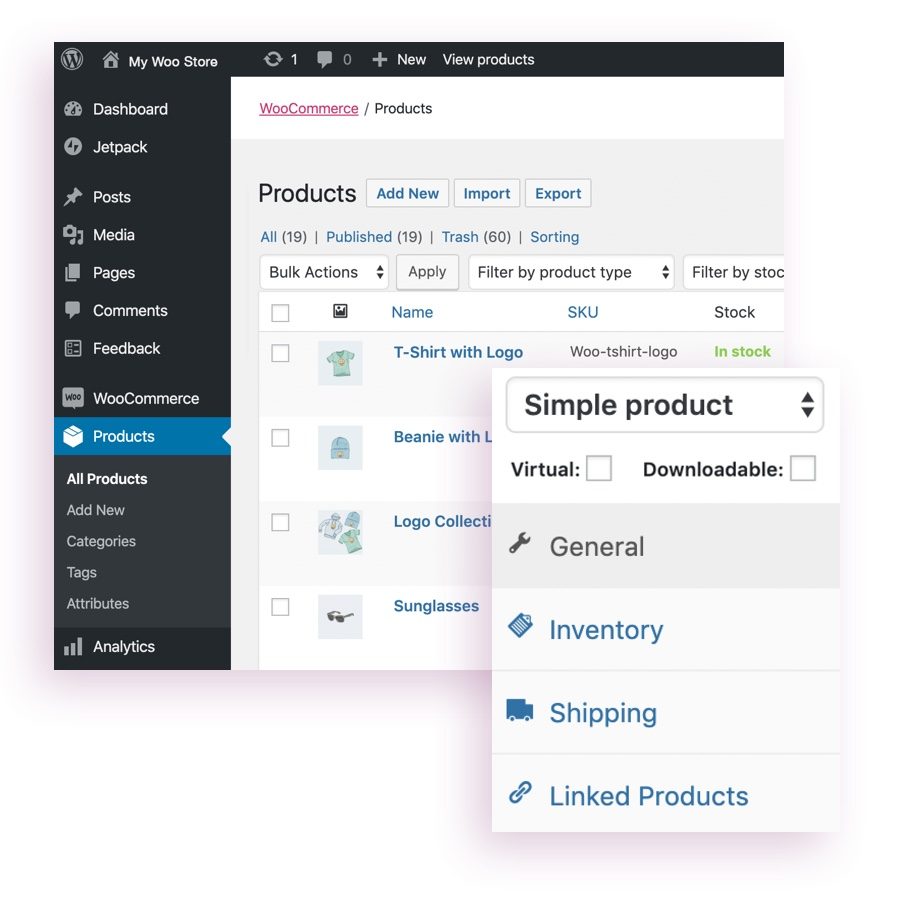
WooCommerce admin in WordPress: product list with stock status and the product card tabs General, Inventory, Shipping, Linked Products
Products and stock in the store admin Source: woocommerce.com ↗
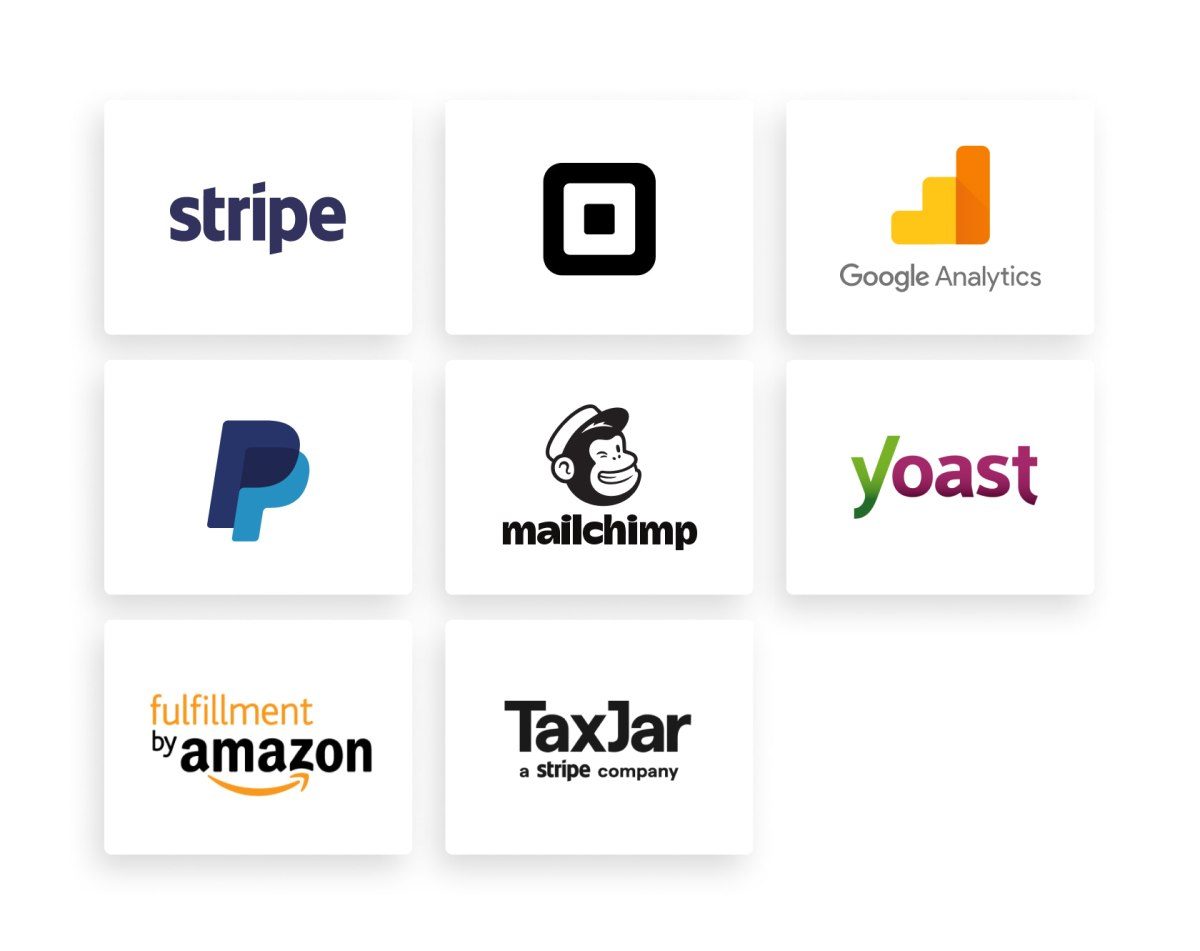
Scheme of services that connect to WooCommerce through extensions: payments, mailing, analytics, taxes and fulfilment
Services connect to the store as extensions Source: woocommerce.com ↗

How to start

Three steps from a first message to work on your project.

  1. 01

    Leave a request

    Describe the task in the form — in text or by voice. Budget and timing are optional.

  2. 02

    We review and estimate

    A developer studies the brief, asks about anything unclear and sends an estimate.

  3. 03

    We start

    Once scope and price are agreed, the work begins.

or write to info@coreviaflow.space

Questions

Does our store have to move anywhere for the integration?
No. WooCommerce stays on your hosting with your data; we connect to it from outside using access keys tied to a WordPress user you choose, and you can revoke them at any moment.
Will a manager still have to copy orders into the CRM?
No. The store sends a notification the moment an order is created, edited or paid, and the order appears in the CRM with its items, customer and address; the manager only confirms it.
What happens if our server is down for a while?
After more than five failed deliveries in a row WooCommerce pauses the notification by itself and keeps a log of every attempt. We see it in the log, switch the notification back on and read the orders that were missed in the meantime.
Can we connect Ukrainian payment and delivery services?
Payment services and carriers connect to WooCommerce as plugins, and the store itself is translated into Ukrainian. Which plugin fits your specific payment service or carrier, and what it can do, we check at the start of the project rather than promise in advance.

Tell us what needs to be connected

Describe the task in text or a voice message. We look at your setup and reply with a plan.